Trades · SMS · Email
A customer who isn't home costs you a morning.
A text the day before fixes it.
Quotes by email, a reminder text the day before, a quick message when you leave the previous job. Unlimited Messaging sends all of it from your own phone and your own mailbox, for free.
In a hurry? Summarize this article with an AI
 Claude
 ChatGPT
 Le Chat
 Gemini
A day on the tools
Jobs during the day, quotes and texts at night
Unlimited Messaging is an inbox that brings SMS, email and WhatsApp together, sent from your own accounts: the SIM in your work phone, your mailbox and your WhatsApp number.
You start at 7:30, do three jobs back to back, and in the evening, in the van, there are still quotes to send, customers to call back and one who has gone quiet since the invoice. The next day a customer forgot the appointment: an hour on the road for nothing.
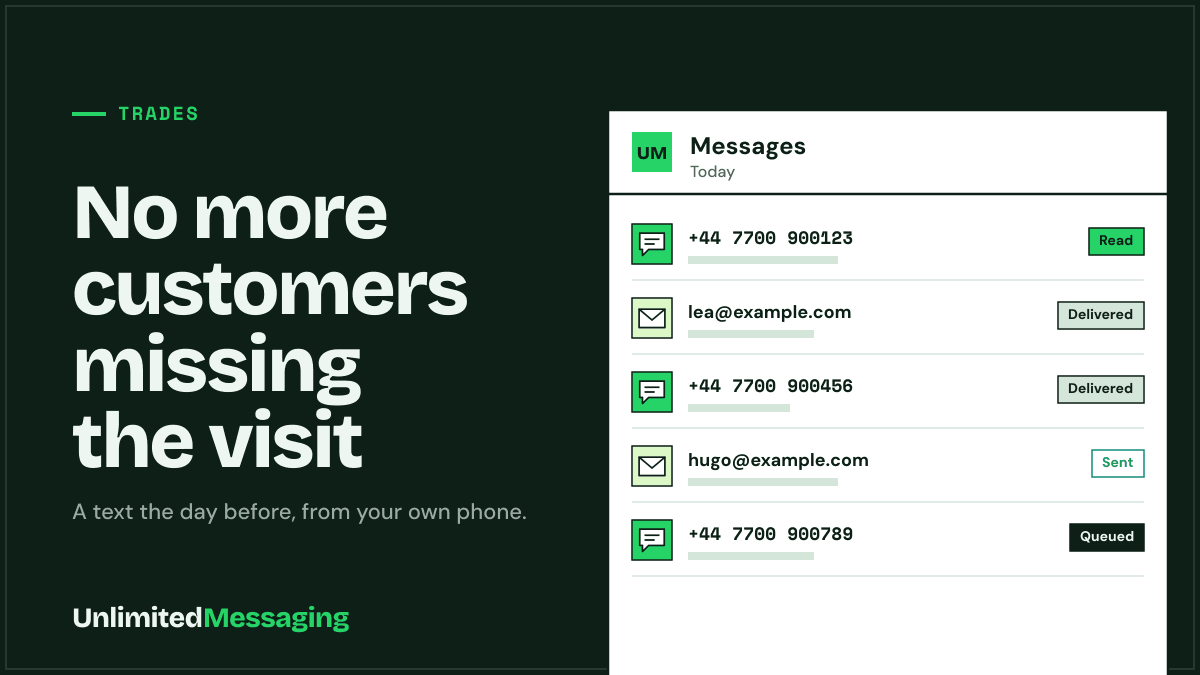
With Unlimited Messaging, quotes leave from your usual mailbox, and a reminder text goes out on its own the day before each appointment, from your phone's SIM through the free Android app. Replies all land in one place, and you can ask Claude or ChatGPT to write the follow-up on a quote for you.
Same idea for restaurants and real estate agents. Everything about texting from your phone is on the SMS page.
What changes
What Unlimited Messaging changes for a tradesperson
No complicated software: your phone, your mailbox and a few messages that send themselves.
Reminder texts from your own phone
The free Android app sends texts with the SIM in your work phone. Customers get a text from your usual number, and you pay nothing extra per message.
Quotes from your own mailbox
Connect your mailbox (Gmail, Outlook or any other) and quotes leave from your usual address, not from an address customers don't know.
Every reply in one place
Texts, emails and WhatsApp land in a single list. In the evening you answer everything from your phone or computer, without hunting.
Claude or ChatGPT for follow-ups
Ask Claude or ChatGPT to write a follow-up on a quote or an invoice. You read it, approve it, it goes out. Free plan, no per-message fee.
Setup
Ready in 3 steps, over a coffee break
- 01
Create your account
Free sign-up, no credit card. The free plan sends unlimited messages.
- 02
Install the Android app
Install the free app on your work phone for texts, then connect your mailbox for quotes.
- 03
Set up your reminders
Send messages from the web app, or connect n8n to your calendar so the day-before reminder goes out on its own.
Copy-ready messages
5 messages for tradespeople, ready to use
Replace what is in brackets. Short, clear, made to go out from your own number.
- 01 · Email
Sending the quote
Hi [First name], As discussed, here is the quote for [work] at [address]. It is valid for 30 days. I can start from [date] if that suits you. Thanks, [Your name], [business]
- 02 · SMS
Reminder the day before
Hi [First name], I'll be with you tomorrow [day] between [time] and [time] for [work]. Something came up? Just reply to this text. [Your name], [business]
- 03 · SMS
On my way
Hi [First name], just finished the previous job, I'll be with you in about 20 minutes. [Your name]
- 04 · SMS
Invoice reminder
Hi [First name], unless I'm mistaken, invoice [number] from [date] is still unpaid. You'll find it in my email of [date]. Thanks in advance! [Your name]
- 05 · SMS
Asking for a review
Hi [First name], thanks for trusting me with [work]. If you're happy with it, a quick review really helps: [link]. Have a good day!
Good to know
Good habits to keep in mind
Texts to your customers
Texts leave from your phone and count against your plan. Write to your customers at a normal pace, as if you were sending them yourself.
An Android phone switched on
For SMS, the app runs on an Android phone. Keep it charged and connected, like your everyday work phone.
FAQ
Questions tradespeople ask
Sources
Sources & references
To check the information in this article for yourself:

Written by
Ilian · Senior Software Engineer
A senior software engineer, he founds and runs several tech companies. He builds products around messaging APIs, automation and AI integration, and shares here what he learns while building.


No more trips to an empty house
Free, no credit card, from your own phone and your own mailbox.