Dental and medical practices · WhatsApp · SMS
A short reminder the day before,
fewer empty chairs.
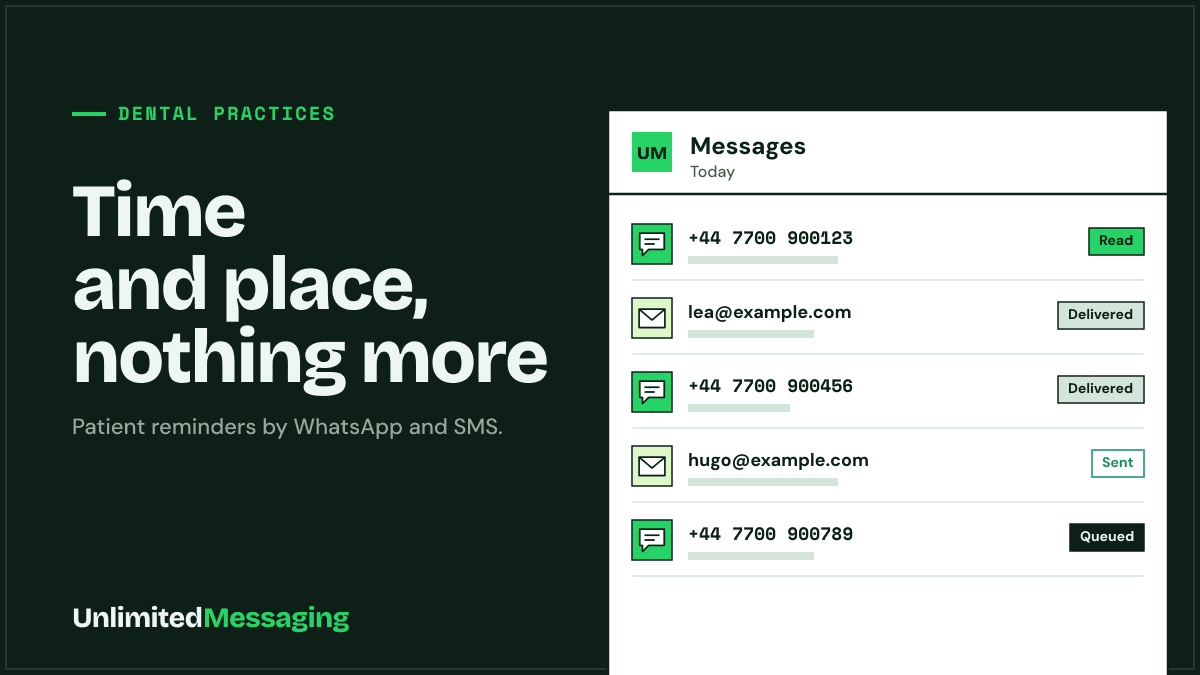
The day before each appointment, the patient gets the time and the address on WhatsApp or by text, from the practice's own number. They confirm or cancel by replying, early enough for you to call someone on the waiting list.
In a hurry? Summarize this article with an AI
 Claude
 ChatGPT
 Le Chat
 Gemini
A morning at the practice
The 9:30 slot nobody comes to
A patient appointment reminder is a short message sent before the visit with the day, time and address, nothing about the treatment. Unlimited Messaging sends it by WhatsApp or SMS from the practice's own number and collects the replies, so a cancelled slot can go to another patient.
Missed appointments are counted in millions. In France, the Académie nationale de médecine and the medical council estimate that 6 to 10% of patients miss their appointment each week, close to 27 million appointments a year. In England, NHS England put the figure at more than 15 million missed general practice appointments a year, costing over £216 million.
Reminders help. A Cochrane review of seven trials (5,841 patients) found that text reminders raise attendance compared with no reminder, and work about as well as a phone call for less effort. With Unlimited Messaging, n8n reads tomorrow's appointments from your calendar or a sheet and sends the reminder from the practice phone's SIM or its WhatsApp number. The patient answers "OK" or asks to move, and the reply lands in the web app inbox.
Same idea for restaurants and their table reminders and for tradespeople and their site visits. The channel is explained on the SMS page.
What changes
What Unlimited Messaging changes for a practice
Your diary and your booking habits stay the same. The reminders go out on their own, and cancellations arrive while the slot can still be filled.
A reminder for every appointment
n8n reads tomorrow's appointments from Google Calendar or a Google Sheets export and sends one message per patient, the day before or that morning.
WhatsApp or SMS, from the practice's number
WhatsApp from the number linked by QR code, or SMS from the practice phone's SIM through the free Android app. Patients see a number they already know and can reply to it.
Time and place, nothing clinical
The message says when and where, never why. A lock screen or a shared phone then reveals nothing about the visit. Your patient file stays in your practice software.
Replies in one inbox
Confirmations, cancellations and "can I come Thursday instead?" land in the web app, in the same thread as the reminder. You answer from the same number.
Setup
Ready in 3 steps, before tomorrow's list
- 01
Create the practice account
Free sign-up, no credit card. Test the reminders on your own phone and a few colleagues first.
- 02
Link the practice phone
Scan the QR code with the practice's WhatsApp, like WhatsApp Web, and install the free Android app on the practice phone for patients who prefer texts.
- 03
Schedule the reminders
In n8n, connect your calendar or appointments sheet to the Unlimited Messaging node, pick the sending time and paste the template below.
Copy-ready messages
5 patient messages that say only what is needed
Replace what is in brackets. No reason for the visit, no treatment, no diagnosis: the patient knows why they are coming.
- 01 · SMS
Day-before reminder
Hello, reminder of your appointment tomorrow [day] at [time] at [Practice name], [address]. Reply OK to confirm, or call [phone] if you need to move it. Thank you.
- 02 · WhatsApp
Booking confirmation
Hello [First name], your appointment at [Practice name] is booked for [day] [date] at [time]. Address: [address]. Need to change it? Just reply to this message.
- 03 · WhatsApp
Slot freed up
Hello [First name], a slot has just opened at [Practice name] on [day] at [time]. Would you like it? First to reply gets it.
- 04 · SMS
No-show follow-up
Hello, we missed you today at [time] at [Practice name]. Reply to this message or call [phone] to book a new appointment.
- 05 · Email
Check-up recall
Hello [First name], It has been a while since your last visit to [Practice name]. If you would like to book your next check-up, reply to this email or call us on [phone]. Kind regards, [Practice name]
Good to know
Patient data, plans and when to use something else
Keep health data out of the message
The CNIL asks health professionals to use only the data strictly needed. A reminder needs a name, a time and an address: leave out the reason for the visit, the treatment and the practitioner's specialty if it gives the reason away.
Not a medical records system
Unlimited Messaging sends messages, it is not a patient file and not a certified health data host (HDS in France). Keep clinical notes in your practice software and send logistics only.
Free plan: a footer under each message
On the free plan, messages end with a short "Sent with UnlimitedMessaging.app" line. For messages to patients, most practices will prefer a paid plan, which removes it.
Already have reminders? Keep them
If your online booking platform already sends reminders, you do not need a second one. Unlimited Messaging is for practices that book by phone, or that want WhatsApp from their own number.
FAQ
Questions practices ask
Sources
Sources & references
To check the information in this article for yourself:
- Rendez-vous non honorés : communiqué commun de l'Académie nationale de médecine et du Conseil national de l'Ordre des médecins (27 January 2023)Académie nationale de médecine
- Missed GP appointments costing NHS millions (January 2019)NHS England
- Mobile phone messaging reminders for attendance at healthcare appointments (Cochrane review, 2013)Cochrane / PubMed
- RGPD et professionnels de santé libéraux : ce que vous devez savoirCNIL
- Guide pratique sur la protection des données personnelles (CNOM and CNIL, June 2018)CNIL
- WhatsApp Terms of ServiceWhatsApp

Written by
Ilian · Senior Software Engineer
A senior software engineer, he founds and runs several tech companies. He builds products around messaging APIs, automation and AI integration, and shares here what he learns while building.


Send tomorrow's reminders without picking up the phone
Free to start, no credit card, from the practice's own number.