Next.js guide
Email, SMS and WhatsApp from Next.js,
in one server-side function.
One helper file, called from a Server Action or a Route Handler, sends the welcome email, the order SMS or the WhatsApp reminder from your own mailbox, phone and number. No SMTP code, no per-message fee, and the key never reaches the browser.
In a hurry? Summarize this article with an AI
 Claude
 ChatGPT
 Le Chat
 Gemini
The short answer
How do you send email, SMS and WhatsApp from Next.js for free?
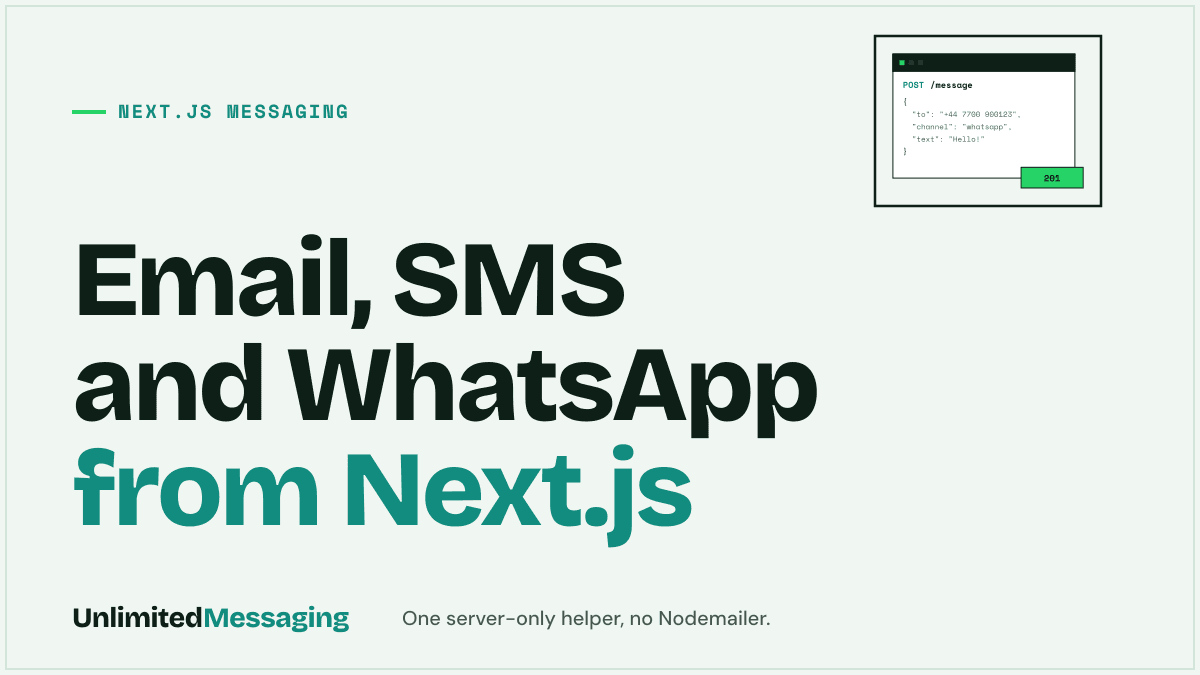
Put one server-only helper in lib/notify.ts that calls POST /message on Unlimited Messaging, then call it from a Server Action or a Route Handler. The same request sends email from your own mailbox, SMS from your Android phone and WhatsApp from your number, and the Free plan charges nothing per message.
The usual stack is one service per channel. Nodemailer is free but only speaks SMTP, needs the Node.js runtime and leaves you with your mailbox's cap, 500 emails a day on Gmail. An email API such as Resend is free up to 3,000 emails a month and 100 a day. SMS through Twilio is billed per segment once the trial ends, and the trial only reaches 5 verified numbers. WhatsApp is a fourth integration.
Next.js already gives you the two server entry points you need. A Server Action handles your own forms (sign-up, checkout), a Route Handler serves other callers (a cron job, a worker, another service). Both run on the server, where environment variables without the NEXT_PUBLIC_ prefix stay out of the browser bundle.
Since Next.js 15.1, after() is stable: it runs code once the response is sent, so the user never waits for an email or an SMS to leave.
Related: the TypeScript SDK in detail, and how to connect a Gmail mailbox with an app password.
Step by step
How do you add it to a Next.js app, step by step?
Five steps, App Router, about 10 minutes. You need a free Unlimited Messaging account with at least one channel connected.
Store the key server-side
Connect your mailbox, your WhatsApp number or the Android app in Unlimited Messaging, create an API key, and put it in .env.local without the NEXT_PUBLIC_ prefix. Next.js only inlines NEXT_PUBLIC_ variables into the browser bundle; the others stay on the server.
.env.local.env.local# .env.local (gitignored by create-next-app) # No NEXT_PUBLIC_ prefix: the key stays on the server UM_API_KEY=um_live_xxxx # Only for the internal route handler of step 4 INTERNAL_SECRET=change-me-to-a-long-random-stringWrite one server-only helper
lib/notify.ts wraps POST /message. import 'server-only' makes the build fail if a client component ever imports it, so the key cannot leak by accident. It drops the channels that have no destination and marks the message transactional.
lib/notify.tsTypeScript// lib/notify.ts import 'server-only'; // the build fails if a client component imports this file export type Channel = 'EMAIL' | 'WHATSAPP' | 'SMS'; export async function notify(input: { email?: string; phone?: string; // E.164, e.g. +33612345678 channels: Channel[]; subject: string; text: string; }) { // Drop the channels that have no destination const channels = input.channels .filter((c) => (c === 'EMAIL' ? input.email : input.phone)) .map((channel) => ({ channel })); if (channels.length === 0) return null; const res = await fetch('https://api.unlimitedmessaging.app/message', { method: 'POST', headers: { Authorization: `Bearer ${process.env.UM_API_KEY}`, 'Content-Type': 'application/json', }, body: JSON.stringify({ to: { email: input.email, phone: input.phone }, channels, subject: input.subject, text: input.text, priority: 'transactional', }), }); if (!res.ok) throw new Error(`Unlimited Messaging ${res.status}: ${await res.text()}`); return res.json(); // { dispatchId, messages: [...] } }Call it from a Server Action
On sign-up, send the welcome email and WhatsApp inside after(): the form answers at once and the message leaves just after. A Server Action is reachable by any POST, so validate the input and rate limit it like a public endpoint.
app/signup/actions.tsServer Action// app/signup/actions.ts 'use server'; import { after } from 'next/server'; import { notify } from '@/lib/notify'; export async function signUp(formData: FormData) { const email = String(formData.get('email')); const phone = String(formData.get('phone') ?? '') || undefined; // ...validate the input, rate limit, create the user // Runs after the response is sent: the form never waits for the message after(() => notify({ email, phone, channels: ['EMAIL', 'WHATSAPP'], subject: 'Welcome to Acme', text: 'Your account is ready. Reply to this message if you need help.', }).catch(console.error), ); }Or from a Route Handler
For callers outside your forms, a cron job, a queue worker, another service, expose a Route Handler protected by a shared secret. Here it sends an email and an SMS from your Android phone.
app/api/notify/route.tsRoute Handler// app/api/notify/route.ts import { notify } from '@/lib/notify'; export async function POST(req: Request) { // For your own jobs and services only, never a public endpoint if (req.headers.get('authorization') !== `Bearer ${process.env.INTERNAL_SECRET}`) { return new Response('Unauthorized', { status: 401 }); } const { email, phone, subject, text } = await req.json(); const result = await notify({ email, phone, channels: ['EMAIL', 'SMS'], subject, text }); return Response.json(result); }Test it
Start next dev and call the route. The response lists one message per channel with its own status, grouped by a dispatchId, and the messages show in your Unlimited Messaging inbox.
Terminalcurlcurl -X POST http://localhost:3000/api/notify \ -H "Authorization: Bearer $INTERNAL_SECRET" \ -H "Content-Type: application/json" \ -d '{"email":"[email protected]","phone":"+33612345678", "subject":"Order #1042 shipped","text":"Your order #1042 is on its way."}'
Vibe coding
Using Cursor, v0 or Claude Code? Paste this prompt
The prompt gives your AI editor the safe pattern: a server-only helper, the key outside NEXT_PUBLIC_, after() for speed. It asks for your test contacts before anything is sent.
Add transactional messaging to this Next.js (App Router) project with Unlimited Messaging: email, SMS and WhatsApp sent from my own accounts.

1. Add UM_API_KEY to .env.local and .env.example. Never use a NEXT_PUBLIC_ prefix and never read the key in a client component.
2. Create lib/notify.ts starting with import 'server-only'. Export notify({ email, phone, channels, subject, text }) that sends one POST https://api.unlimitedmessaging.app/message with the header Authorization: Bearer UM_API_KEY and the JSON { to: { email, phone }, channels: [{ channel: 'EMAIL' | 'WHATSAPP' | 'SMS' }], subject, text, priority: 'transactional' }. Skip channels without a destination; phone numbers are in E.164 format.
3. Call notify from my sign-up Server Action inside after() from next/server, so the form does not wait. Validate the input and keep the existing auth checks.
4. Add a Route Handler app/api/notify/route.ts protected by Authorization: Bearer INTERNAL_SECRET for my cron jobs.
5. API reference: https://docs.unlimitedmessaging.app. I create the API key at https://app.unlimitedmessaging.app.

Show me the diff, then ask for my test email and phone number before sending anything.
The options
Nodemailer, Resend, Twilio or one API: which fits a Next.js app?
Four common ways to send transactional messages from Next.js, compared on what they send, what is free and what you maintain.
| Nodemailer + GmailSMTP library | ResendEmail API | TwilioSMS and WhatsApp API | Unlimited MessagingEmail, WhatsApp and SMS | |
|---|---|---|---|---|
| Channels | SMS and WhatsApp, billed per message | Email, WhatsApp and SMS in one request | ||
| Free allowance | Free library, Gmail caps at 500 emails a day | 3,000 emails a month, 100 a day | Trial: up to 5 verified numbers | Free plan with no per-message fee |
| Runtime | Node.js only (SMTP sockets) | Any runtime (HTTP) | Any runtime (HTTP) | Any runtime (HTTP) |
| Sender | Your mailbox | Your verified domain | A Twilio number or a registered WhatsApp sender | Your own mailbox, WhatsApp number and phone |
| What you maintain | SMTP settings, errors, retries | One SDK, DNS records | One SDK per product, Meta templates for WhatsApp | One fetch for every channel |
| Best for | A few emails from your own mailbox | High-volume email | High-volume SMS, official WhatsApp | App messages one at a time, free while you grow |
Checked on 9 November 2026 on nodemailer.com, resend.com/pricing, Twilio's trial documentation and Gmail Help (links in the sources). Free tiers change: follow the links before you build on one.
The catch
What are the limits?
Free removes the per-message bill and the SMTP code. It does not remove security, WhatsApp's rules or your phone's pace.
A public action can be abused
A sign-up action that sends messages lets anyone trigger a WhatsApp or an SMS to any number. Add a captcha or a rate limit, and send to a phone number only once you trust it.
WhatsApp is unofficial, and spam gets numbers banned
Your number is linked as a device, outside Meta's Business Platform. Messages users asked for are low risk; bulk messages to strangers can get the number banned. Keep WhatsApp for transactional messages.
SMS goes at a phone's pace
SMS leave from your Android phone's SIM, on your plan. Android asks for confirmation beyond 30 SMS in 30 minutes, so the app paces sends to about 30 every 30 minutes, and the phone has to stay on.
Email follows your mailbox's limits
Emails leave from your own mailbox over SMTP, so its daily cap applies: 500 a day on a Gmail account. For newsletters, use a bulk email service.
Free plan messages carry a footer
On the Free plan, messages end with a short "Sent with UnlimitedMessaging.app" line, and media and webhooks are paid features. Medium and Max remove the line.
after() is not a queue
If the call fails after the response is sent, nothing retries it. For a receipt you cannot lose, store the job in your database or a queue and retry from there.
FAQ
Questions about sending messages from Next.js
Sources
Sources & references
To check the information in this article for yourself:
- Mutating Data (Server Functions and Server Actions)Next.js Docs
- after (stable since v15.1.0)Next.js Docs
- How to use environment variables in Next.jsNext.js Docs
- Server and Client Components (server-only)Next.js Docs
- Nodemailernodemailer.com
- Pricing (Free: 3,000 emails a month, 100 a day)Resend
- How to use your free trial account (Messaging)Twilio Docs
- Limits for sending and getting mail (500 emails a day)Gmail Help
- SmsUsageMonitor (30 SMS in 30 minutes threshold)Android Open Source Project
- API reference: POST /messageUnlimited Messaging Docs

Written by
Ilian · Senior Software Engineer
A senior software engineer, he founds and runs several tech companies. He builds products around messaging APIs, automation and AI integration, and shares here what he learns while building.


Ship email, SMS and WhatsApp in your Next.js app today.
Create a free account, connect a mailbox, a WhatsApp number or an Android phone, paste the helper. No credit card, no per-message fee.