Supabase guide
A new row in Supabase,
an email and a WhatsApp go out.
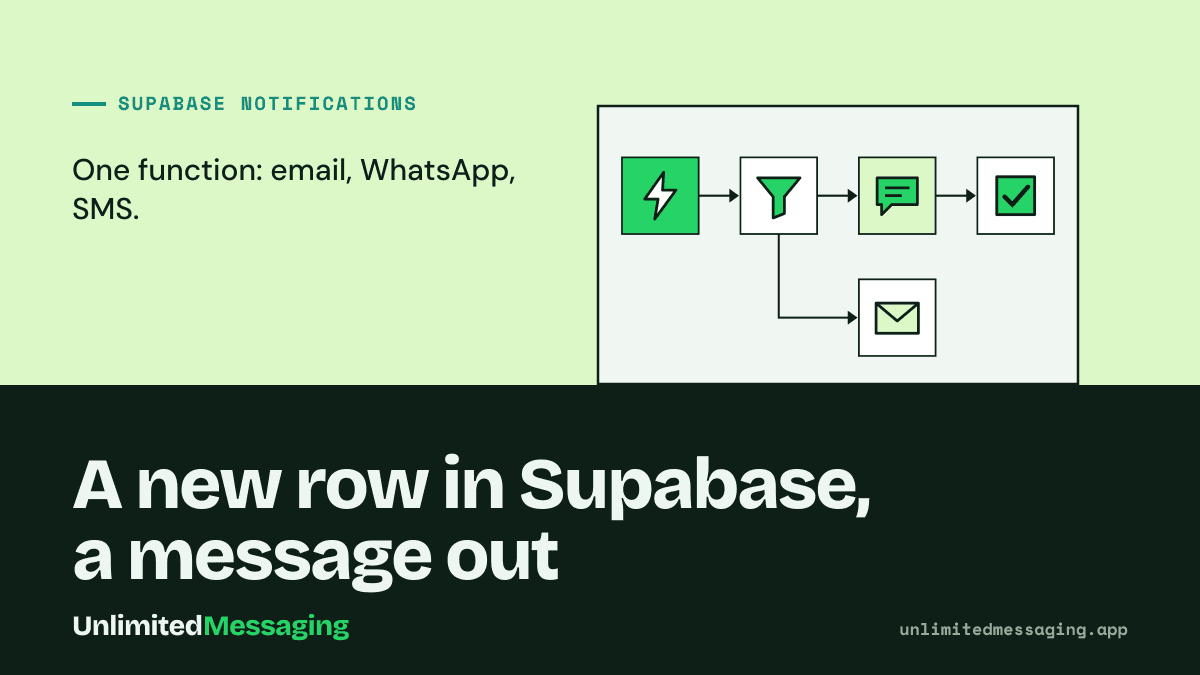
A database webhook calls one Edge Function on insert, the function makes one API call, and the welcome or order message leaves from your own mailbox, WhatsApp number or Android phone. Free, with the code and a prompt for your AI editor.
In a hurry? Summarize this article with an AI
 Claude
 ChatGPT
 Le Chat
 Gemini
The short answer
How do you send email, SMS and WhatsApp from Supabase?
Create a database webhook on your table (profiles, orders) that calls a Supabase Edge Function on INSERT. The function reads the new row and makes one POST /message request to Unlimited Messaging, which sends the email from your mailbox, the WhatsApp from your number and the SMS from your Android phone. Database webhooks run on pg_net, so the insert never waits for the message.
Supabase has no API for the messages your app sends. Its built-in email service is there for Auth emails: it sends 2 messages an hour, only to addresses in your project's team, and Supabase states it is not meant for production. A welcome email, an order confirmation or a WhatsApp to a customer is yours to send.
An Edge Function is the right place for it: it runs on the server, reads secrets with Deno.env.get, and Supabase's Free plan includes 500,000 invocations. The usual setup is one provider per channel, an email API, Twilio for SMS, Meta's Cloud API for WhatsApp: three keys, three bills. Here one request covers the three channels, and the Free plan of Unlimited Messaging has no per-message fee.
This guide covers the messages your app sends. Auth emails (sign-up confirmation, magic link, password reset) and phone OTP stay in Supabase Auth's own settings, where you plug a custom SMTP server or an SMS provider.
Related: email and WhatsApp in a single API request, and the free SMS API that sends from your own phone.
Step by step
How do you wire it up, step by step?
Five steps, about 15 minutes. You need a Supabase project, the Supabase CLI and a free Unlimited Messaging account.
Connect your channels and create an API key
In the Unlimited Messaging app, link your WhatsApp number by QR code, connect your mailbox over IMAP/SMTP (a Gmail app password works) and, for SMS, sign in to the free Android app on a phone with a SIM. Connect only the channels you need, then create an API key.
supabase/functions/.env.env# supabase/functions/.env (gitignored, local only) # Created at app.unlimitedmessaging.app > API keys UM_API_KEY=um_live_xxxx # Any long random string, shared with the database webhook WEBHOOK_SECRET=change-me-to-a-long-random-stringCreate the function and store the secrets
Create the function with the CLI and push both secrets to your project. They live only in the function's environment: never put the API key in a VITE_ or NEXT_PUBLIC_ variable, or anywhere in frontend code.
TerminalSupabase CLIsupabase functions new notify-signup # Push the secrets to your project (never to the frontend) supabase secrets set --env-file supabase/functions/.env supabase secrets listWrite the function
The function checks the shared secret, reads the inserted row, and sends the email every time and the WhatsApp only when the row has a phone number. priority: transactional puts the message ahead of any bulk send waiting in your queue.
notify-signup/index.tsDeno / TypeScript// supabase/functions/notify-signup/index.ts type Profile = { id: string; email: string; phone: string | null; full_name: string | null }; type WebhookPayload = { type: 'INSERT' | 'UPDATE' | 'DELETE'; table: string; schema: string; record: Profile; old_record: Profile | null; }; Deno.serve(async (req) => { // The database webhook sends this header; nobody else knows it if (req.headers.get('x-webhook-secret') !== Deno.env.get('WEBHOOK_SECRET')) { return new Response('Unauthorized', { status: 401 }); } const { record } = (await req.json()) as WebhookPayload; const name = record.full_name ?? 'there'; // Email always, WhatsApp when the row has a phone (E.164: +33612345678). // Use { channel: 'SMS' } instead for people who are not on WhatsApp. const channels: Array<{ channel: 'EMAIL' | 'WHATSAPP' | 'SMS' }> = [{ channel: 'EMAIL' }]; if (record.phone) channels.push({ channel: 'WHATSAPP' }); const res = await fetch('https://api.unlimitedmessaging.app/message', { method: 'POST', headers: { Authorization: `Bearer ${Deno.env.get('UM_API_KEY')}`, 'Content-Type': 'application/json', }, body: JSON.stringify({ to: { email: record.email, phone: record.phone ?? undefined }, channels, subject: 'Welcome aboard', text: `Hi ${name}, your account is ready. Reply to this message if you need anything.`, priority: 'transactional', }), }); if (!res.ok) console.error('Unlimited Messaging', res.status, await res.text()); return new Response(null, { status: res.ok ? 200 : 502 }); });Deploy it, protected by your own secret
A database webhook sends no user JWT, so turn the platform check off for this function only (--no-verify-jwt, or verify_jwt = false in config.toml). The x-webhook-secret header the function checks keeps strangers out.
TerminalSupabase CLI# A database webhook sends no user JWT: turn the platform check off # for this function only, the x-webhook-secret header protects it supabase functions deploy notify-signup --no-verify-jwt # Or keep it in supabase/config.toml: # [functions.notify-signup] # verify_jwt = falseCreate the database webhook
In the dashboard, Database > Webhooks: choose the table (profiles here), the Insert event, the type Supabase Edge Functions and the notify-signup function, then add an x-webhook-secret header with the same value. Insert a test row: this is the body the function receives.
POST bodyWebhook payload{ "type": "INSERT", "table": "profiles", "schema": "public", "record": { "id": "8f1c2d3e-0000-4000-8000-000000000000", "email": "[email protected]", "phone": "+33612345678", "full_name": "Lea" }, "old_record": null }
Vibe coding
Using Lovable, Cursor or Claude Code? Paste this prompt
The prompt gives your AI editor the exact pattern: an Edge Function, secrets stored in Supabase, one REST call. It asks you before anything is sent for real.
Add transactional notifications to this Supabase project with Unlimited Messaging (email, WhatsApp and SMS sent from my own accounts).

1. Create a Supabase Edge Function named notify-signup. Read UM_API_KEY and WEBHOOK_SECRET with Deno.env.get. Never put the key in frontend code or in a VITE_ / NEXT_PUBLIC_ variable.
2. The function receives a Supabase database webhook payload { type, table, schema, record, old_record }. Return 401 unless the x-webhook-secret header equals WEBHOOK_SECRET.
3. Send one POST https://api.unlimitedmessaging.app/message with the header Authorization: Bearer UM_API_KEY and the JSON { to: { email, phone }, channels: [{ channel: 'EMAIL' }, { channel: 'WHATSAPP' }], subject, text, priority: 'transactional' }. Only add WHATSAPP (or SMS) when the row has a phone number in E.164 format.
4. Give me the commands: supabase secrets set, supabase functions deploy notify-signup --no-verify-jwt, and how to create the database webhook on INSERT of my table with the x-webhook-secret header.
5. API reference: https://docs.unlimitedmessaging.app. I create the API key at https://app.unlimitedmessaging.app.

Ask me which table and which message text to use before writing the code.
The options
Which way to send messages from Supabase?
Four ways to send a notification when a row lands in your database, from the built-in service to one API for every channel.
| Supabase built-in emailAuth emails only | Resend from a functionEmail API | Twilio from a functionSMS and WhatsApp API | Unlimited MessagingEmail, WhatsApp and SMS | |
|---|---|---|---|---|
| Channels | Auth emails only | SMS and WhatsApp, billed per message | Email, WhatsApp and SMS in one request | |
| Free allowance | 2 emails an hour, team addresses only | 3,000 emails a month, 100 a day | Trial: up to 5 verified numbers | Free plan with no per-message fee |
| Sender | Supabase's address | Your verified domain | A Twilio number or a registered WhatsApp sender | Your own mailbox, WhatsApp number and phone |
| WhatsApp messages | No | No | Meta-approved templates to start a conversation | Free text from your linked number |
| Setup | None | DNS records for your domain | Account, number, WhatsApp sender registration | QR code, IMAP/SMTP login, Android app |
| Best for | Testing Auth flows | High-volume email | High-volume SMS, official WhatsApp | App messages one at a time, free while you grow |
Checked on 9 November 2026 on supabase.com, resend.com/pricing and Twilio's trial documentation (links in the sources). Free tiers change: follow the links before you build on one.
The catch
What are the limits?
Free removes the per-message bill. It does not remove the rules of WhatsApp, of your phone or of your mailbox.
WhatsApp is unofficial, and spam gets numbers banned
Your number is linked as a device, outside Meta's Business Platform. Messages to customers who signed up and expect them are low risk; bulk messages to strangers can get the number banned. Keep WhatsApp for transactional messages.
SMS needs an Android phone that stays on
SMS leave from the phone's SIM, on your carrier plan. Android asks for confirmation beyond 30 SMS in 30 minutes, so the app paces sends to about 30 every 30 minutes: fine for sign-ups and orders, not for a launch-day blast.
Email follows your mailbox's limits
Emails leave from your own mailbox over SMTP, so its daily cap applies: 500 a day on a Gmail account. For newsletters to thousands of people, use a bulk email service.
Free plan messages carry a footer
On the Free plan, messages end with a short "Sent with UnlimitedMessaging.app" line, and media and webhooks are paid features. Medium and Max remove the line.
The insert does not wait for the message
pg_net sends the request asynchronously, so a failing function never rolls back the insert. Log the API response in the function and watch the function logs.
The key stays server-side
Anyone who opens your frontend bundle can reuse a key placed there. The key belongs in Edge Function secrets, and the webhook secret stops strangers from calling your function.
FAQ
Questions about sending messages from Supabase
Sources
Sources & references
To check the information in this article for yourself:
- Database WebhooksSupabase Docs
- Managing secrets (environment variables) for Edge FunctionsSupabase Docs
- Function configuration (verify_jwt)Supabase Docs
- Send emails with custom SMTP (built-in limit: 2 messages an hour)Supabase Docs
- Pricing (500,000 Edge Function invocations on Free)Supabase
- Pricing (Free: 3,000 emails a month, 100 a day)Resend
- How to use your free trial account (Messaging)Twilio Docs
- Message templatesMeta for Developers
- Limits for sending and getting mail (500 emails a day)Gmail Help
- SmsUsageMonitor (30 SMS in 30 minutes threshold)Android Open Source Project
- API reference: POST /messageUnlimited Messaging Docs

Written by
Ilian · Senior Software Engineer
A senior software engineer, he founds and runs several tech companies. He builds products around messaging APIs, automation and AI integration, and shares here what he learns while building.


Send your first Supabase notification today.
Create a free account, connect a mailbox or a WhatsApp number, paste the function. No credit card, no per-message fee.