Unified messaging webhook
Every reply, on every channel,
in one webhook.
WhatsApp from your number, email from your mailbox, SMS from your phone: one endpoint receives them all in the same signed JSON envelope. One handler feeds your inbox, your AI agent or your CRM.
In a hurry? Summarize this article with an AI
 Claude
 ChatGPT
 Le Chat
 Gemini
The short answer
Can one webhook receive WhatsApp, email and SMS?
Yes. Unlimited Messaging posts every incoming message from your linked WhatsApp number, your connected mailbox and your Android phone's SIM to one URL, as the same event, message.received, signed per Standard Webhooks. The envelope never changes; data.channel.type says WHATSAPP, EMAIL or SMS. Webhooks are on the paid Medium and Max plans.
Assembled from separate providers, the same inbox means three integrations. Meta's Cloud API posts nested JSON signed with X-Hub-Signature-256 after a hub.challenge handshake. Twilio posts SMS and WhatsApp as form-encoded parameters signed with HMAC-SHA1. SendGrid Inbound Parse posts multipart/form-data for a hostname whose MX you moved. Three parsers, three signature checks, three ideas of what a conversation is.
Here the channels are services beside one API, and that API announces each message the same way: id, direction, content, sender, sentAt, the conversation (a WhatsApp chat or group, an email thread root, an SMS number) and the account it came in on. Email adds subject, html and attachments; WhatsApp adds media, groups, reactions and edits. Delivery rules are shared too: answer 2xx within 10 seconds, 8 attempts over a little more than 3 days, deduplicate on eventId.
Replies close the loop from the same identities. replyToMessageId answers a WhatsApp chat or an email thread in place; an SMS answer names the SIM. Customers see your number and your address, never a provider's.
Related: send email and WhatsApp in one API request, and keep sales on WhatsApp and email in one inbox.
The events
What does the unified webhook payload look like?
The same message.received event on every channel. What changes is data.channel.type and a few channel-only fields.
Shared on every channel
type, eventId, occurredAt; data.message with id, externalId, direction, fromMe, content, sentAt, receivedAt, sender, senderId; data.channel with type, account (id, name) and conversation (id, isGroup, address).
WHATSAPP
Media (mediaUrl, mediaType, mimeType), locations, quoted replies (replyTo), groups (participant, conversation.participants), plus message.reaction, message.edited and message.deleted.
EMAIL
subject, html (untrusted, sanitise it), attachments (up to 20 per email), conversation.id set to the thread root and replyTo to the message answered.
SMS
Text only. conversation.id is null, so thread on sender. Messages received after the Android app was signed in.
Around the messages
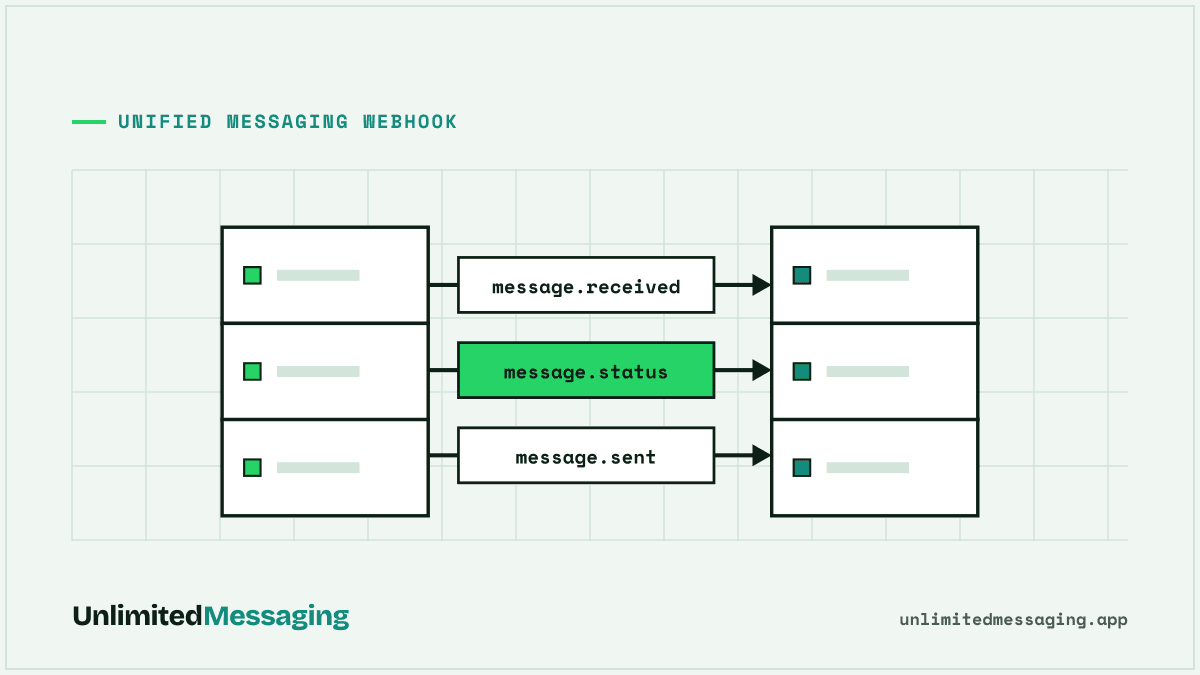
message.sent and message.status follow what you send on all three channels; account.status_changed reports a number, mailbox or SIM that dropped.
// WhatsApp
{ "type": "message.received", "eventId": "whd_6f1c...", "occurredAt": "2026-11-09T10:00:01.000Z",
  "data": {
    "message": { "id": "msg_0e55...", "direction": "IN", "content": "Is my order ready?",
                 "sender": "+447700900123", "senderName": "Lea", "sentAt": "2026-11-09T10:00:00.000Z" },
    "channel": { "type": "WHATSAPP", "account": { "id": "acc_373b...", "name": "Support" },
                 "conversation": { "id": "[email protected]", "isGroup": false,
                                   "address": "+447700900123" } } } }

// Email: same envelope, plus subject, html and attachments
{ "type": "message.received", "eventId": "whd_9a4f...", "occurredAt": "2026-11-09T14:05:12.000Z",
  "data": {
    "message": { "id": "msg_3f8a...", "direction": "IN", "content": "Signed quote attached.",
                 "sender": "[email protected]", "subject": "Re: Quote #1042",
                 "html": "<p>Signed quote attached.</p>", "attachments": [ { "filename": "quote.pdf" } ] },
    "channel": { "type": "EMAIL", "account": { "id": "acc_8b2e...", "name": "[email protected]" },
                 "conversation": { "id": "[email protected]", "isGroup": false,
                                   "address": "[email protected]" } } } }

// SMS: text only, no conversation id
{ "type": "message.received", "eventId": "whd_2b9e...", "occurredAt": "2026-11-09T08:42:06.000Z",
  "data": {
    "message": { "id": "msg_7d2c...", "direction": "IN", "content": "Running 10 min late, sorry!",
                 "sender": "+447700900456", "sentAt": "2026-11-09T08:42:03.000Z" },
    "channel": { "type": "SMS", "account": { "id": "acc_5e8d...", "name": "Front desk SIM" },
"conversation": { "id": null, "isGroup": false, "address": "+447700900456" } } } }Set it up
How do you build one handler for every channel?
Link the three channels once, register one endpoint, and branch only where a channel really differs.
- 01
Link your channels
Scan a QR code for WhatsApp, connect your mailbox over IMAP/SMTP, install the Android app for SMS. Each one becomes an account.
- 02
Register one endpoint
POST /webhooks with your URL and eventTypes, or add it on the Webhooks page of the dashboard. Without accountIds it covers every account, even future ones.
- 03
Verify once, branch late
One signature check, one upsert on eventId, one inbox row. Only the reply call differs: replyToMessageId for WhatsApp and email, the SIM for SMS.
curl https://api.unlimitedmessaging.app/webhooks \
  -H "Authorization: Bearer $UM_API_KEY" \
  -H "Content-Type: application/json" \
  -d '{
    "url": "https://example.com/webhooks/um",
    "eventTypes": ["message.received", "message.status", "account.status_changed"],
    "description": "Every reply, every channel"
  }'

# No accountIds: the endpoint covers every WhatsApp number, mailbox and SIM you have,
# including ones linked later. The response carries "secret": "whsec_..." once.// app/api/webhooks/um/route.ts (Next.js App Router)
import crypto from 'node:crypto';
import { UnlimitedMessagingApiClient } from '@unlimited-messaging/sdk';
const um = new UnlimitedMessagingApiClient({ token: process.env.UM_API_KEY! });
const key = Buffer.from(process.env.UM_WEBHOOK_SECRET!.replace(/^whsec_/, ''), 'base64');
// Standard Webhooks: HMAC-SHA256 of "id.timestamp.rawBody", base64.
function verify(raw: string, id: string, ts: string, header: string) {
if (Math.abs(Date.now() / 1000 - Number(ts)) > 300) return false;
const expected = crypto.createHmac('sha256', key).update(`${id}.${ts}.${raw}`).digest('base64');
return header.split(' ').some((entry) => {
const sig = entry.startsWith('v1,') ? entry.slice(3) : '';
return sig.length === expected.length &&
crypto.timingSafeEqual(Buffer.from(sig), Buffer.from(expected));
});
}
export async function POST(req: Request) {
const raw = await req.text();
const h = req.headers;
if (!verify(raw, h.get('webhook-id') ?? '', h.get('webhook-timestamp') ?? '',
h.get('webhook-signature') ?? '')) {
return new Response('bad signature', { status: 401 });
}
const event = JSON.parse(raw);
if (event.type !== 'message.received') return new Response(null, { status: 200 });
const { message: m, channel } = event.data;
// One inbox row, whatever the channel (upsert on eventId: delivery is at least once).
await inbox.upsert({
eventId: event.eventId,
channel: channel.type, // WHATSAPP | EMAIL | SMS
from: m.sender ?? m.senderId, // +E164 or email address
thread: channel.conversation.id ?? m.sender, // SMS has no conversation id
subject: m.subject ?? null,
text: m.content,
at: m.sentAt, // order on this, not on arrival
});
const answer = await draftReply(m.content); // your LLM call, or null for a human
if (answer) {
if (channel.type === 'SMS') {
await um.messages.messageSend({
to: { phone: m.sender },
channels: [{ channel: 'SMS', accountId: channel.account.id }],
text: answer,
});
} else {
// WhatsApp and email: same chat or same thread, same number or mailbox.
await um.messages.messageSend({ replyToMessageId: m.id, text: answer });
}
}
return new Response(null, { status: 200 }); // within 10 s; queue slow work
}Vibe coding
Building with Cursor, Claude Code, Lovable or Bolt? Paste this
Enough context for your AI editor to build the whole unified inbox route in one pass.
Add a unified inbox to this app with Unlimited Messaging: WhatsApp (my number), email (my mailbox) and SMS (my Android phone) all arrive on ONE webhook.

1. Create a POST route at /api/webhooks/um that reads the RAW body.
2. Verify the Standard Webhooks signature: key = base64-decode(UM_WEBHOOK_SECRET without "whsec_"); expected = base64(HMAC-SHA256(key, `${webhook-id}.${webhook-timestamp}.${rawBody}`)); accept if any space-separated entry of the webhook-signature header equals `v1,${expected}` (constant-time compare); reject timestamps more than 5 minutes off; return 401 otherwise.
3. On type "message.received", upsert one row keyed on body.eventId: channel = data.channel.type (WHATSAPP | EMAIL | SMS), from = data.message.sender ?? data.message.senderId, thread = data.channel.conversation.id ?? data.message.sender, subject = data.message.subject, text = data.message.content, at = data.message.sentAt (order on this, never on arrival).
4. Build an inbox page listing threads across channels with a channel badge.
5. Replies: install @unlimited-messaging/sdk, read UM_API_KEY from env. WhatsApp and email: `client.messages.messageSend({ replyToMessageId: data.message.id, text })`. SMS: `client.messages.messageSend({ to: { phone: sender }, channels: [{ channel: 'SMS', accountId: data.channel.account.id }], text })`.
6. Return 200 within 10 seconds; queue slow work. Put UM_API_KEY and UM_WEBHOOK_SECRET in .env and .env.example.

Docs: https://docs.unlimitedmessaging.app (Webhooks). Register with POST https://api.unlimitedmessaging.app/webhooks and eventTypes ["message.received", "message.status", "account.status_changed"].
What people build
What can you build with one webhook for every channel?
Three projects that are three integrations elsewhere and one handler here.
A support inbox across channels
One list of conversations, a badge per channel, replies sent from your number or your address in the same thread. Add message.status to show delivered and read ticks where the channel reports them.
An AI auto-responder
Feed content to Claude or GPT with the conversation history, send the answer back on the channel it came from, hand over to a human on keywords or low confidence.
CRM sync
Attach every message to the contact by phone or email address, whatever the channel, with sentAt for the timeline.
Channel fallback
No reply on WhatsApp after a day? Follow up by email or SMS; the same POST /message can send on up to three channels at once.
Ops monitoring
account.status_changed on all three channels tells you when a number, a mailbox or a phone stops relaying.
No-code flows
Point the webhook at n8n, Make or Zapier and switch on data.channel.type.
The table
One inbox, three ways: Twilio, a DIY stack, or Unlimited Messaging
What it takes to receive WhatsApp, email and SMS replies in the same code.
| Twilio + SendGridOne vendor, several products | Meta + parse service + SMS providerDo it yourself | Unlimited MessagingOne webhook, paid plans | |
|---|---|---|---|
| Payload formats | Form-encoded for SMS and WhatsApp, multipart for email | Meta JSON, provider format, multipart or JSON for email | One JSON envelope |
| Signature checks | X-Twilio-Signature (HMAC-SHA1), plus the parse endpoint's own protection | X-Hub-Signature-256 for Meta, one per other provider | One Standard Webhooks check |
| Identities customers see | Numbers leased from Twilio, a registered WhatsApp sender | A number moved to the Cloud API, a rented SMS number | Your own number, mailbox and SIM |
| Setup before the first message | Number purchase, WhatsApp sender registration, MX record | Meta app and business portfolio, MX record, number rental | QR scan, mailbox password, Android app |
| Per-message fees | $0.0083 per US inbound SMS segment, $0.005 per WhatsApp message plus Meta fees | Meta fees past 1,000 service replies per number a month, per-SMS fees | None; webhooks need Medium or Max |
| Official status | Official WhatsApp Business Platform | Official WhatsApp Business Platform | WhatsApp via the unofficial linked-device protocol |
Checked on 9 November 2026 on Twilio's webhook, SMS and WhatsApp pricing pages, Meta's webhook and pricing docs and SendGrid's Inbound Parse guide (links in the sources).
The catch
What are the limits of a unified webhook on your own channels?
One format removes the glue code. Each channel keeps its own nature.
Webhooks are a paid feature
Sending on all three channels is free on every plan, and incoming messages show in the web app inbox. Pushing them to your server needs Medium (€19 a month, or €17 a month billed yearly) or Max.
WhatsApp is a linked device
The number is linked like WhatsApp Web, through an unofficial protocol: spam gets it restricted, and WhatsApp logs out linked devices when the main phone stays offline 14 days.
SMS needs an Android phone
The SIM relays through the free Android app (8.0 or newer), which must stay on and online. Text only, and only texts received after sign-in.
Email reads the inbox
IMAP mailboxes only for now (Gmail with an app password, own domain, most hosts); no Outlook or Microsoft 365 yet. Mail filed in spam or other folders is not seen.
Not every field exists on every channel
SMS has no conversation id and no read receipts, email has no reactions, WhatsApp has no subject. Code against the shared fields and treat the rest as optional.
FAQ
Questions about a unified messaging webhook
Sources
Sources & references
To check the information in this article for yourself:
- Standard Webhooks specificationstandardwebhooks.com
- Getting started with webhooks (hub.challenge, X-Hub-Signature-256)Meta for Developers
- WhatsApp Business Platform pricingMeta for Developers
- Incoming message webhook request (form-encoded)Twilio Docs
- Webhooks security (X-Twilio-Signature, HMAC-SHA1)Twilio Docs
- SMS pricing in the United StatesTwilio
- WhatsApp pricing ($0.005 per message, inbound or outbound)Twilio
- Setting up the Inbound Parse webhook (MX, multipart/form-data)Twilio SendGrid Docs
- About linked devices (logout after 14 days without the main phone)WhatsApp Help Center
- Unlimited Messaging API reference - WebhooksUnlimited Messaging

Written by
Ilian · Senior Software Engineer
A senior software engineer, he founds and runs several tech companies. He builds products around messaging APIs, automation and AI integration, and shares here what he learns while building.


Three channels, one handler.
Create an account, link your WhatsApp, mailbox and Android phone, and turn on webhooks with Medium or Max. Sending stays free on every plan.