Partner case study
Kadrella sends every lesson reminder
through Unlimited Messaging.
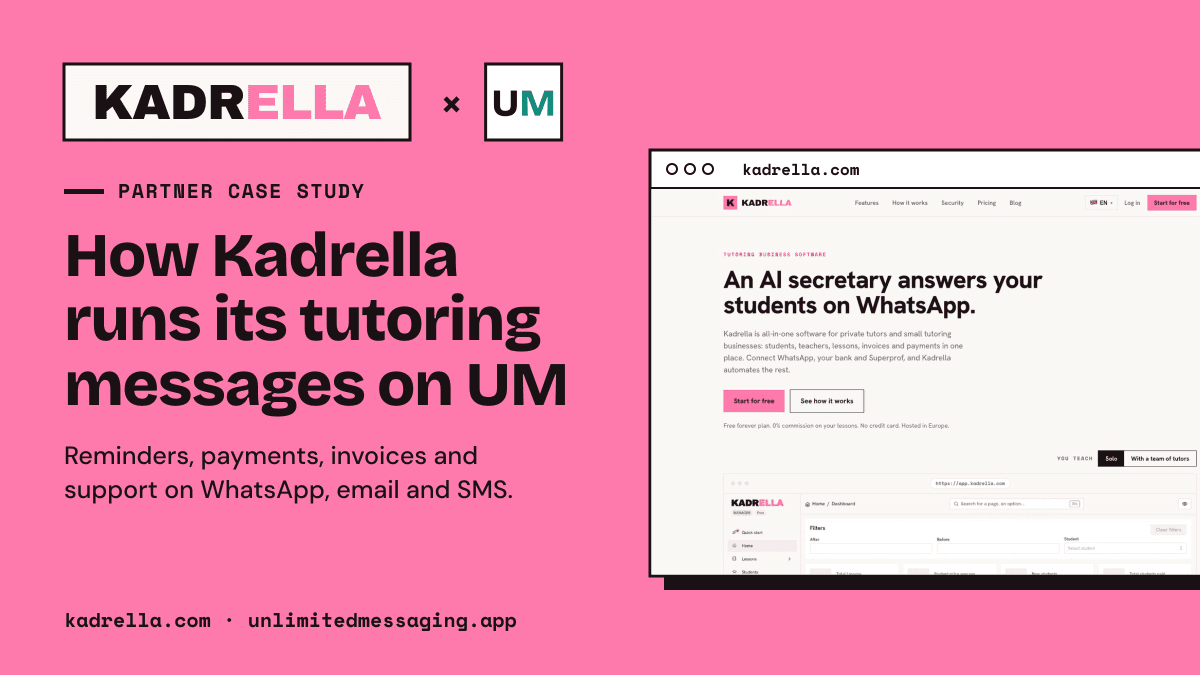
Kadrella helps tutoring schools and private tutors run students, teachers, lessons and payments. Every message it sends or reads, on WhatsApp, by email and by SMS, goes through Unlimited Messaging.
In a hurry? Summarize this article with an AI
 Claude
 ChatGPT
 Le Chat
 Gemini
The partner
A platform for tutoring schools, built on our API
Kadrella is the back office of tutoring schools and private tutors: students and parents, teachers, a lesson calendar, payments, invoices and teacher pay, in one app.
In tutoring, almost everything happens in messages. Parents ask what time Thursday's lesson is, students forget, teachers need to know who they see tomorrow, and unpaid lessons pile up quietly. Kadrella turned all of that into messages sent automatically, and it uses Unlimited Messaging for the whole messaging layer: WhatsApp, email and SMS.
Kadrella was the first customer of Unlimited Messaging, and it is still the most demanding one. Every school links its own WhatsApp number in a few seconds, so parents receive messages from the number they already know, never from an anonymous sender. In October 2026 Kadrella had its best signup month since launch, with twice as many lessons planned as in September, and schools in France, Ukraine, Egypt and Greece.
- Channels through one API: WhatsApp, email and SMS
- 3Channels through one API: WhatsApp, email and SMS
- Webhook events handled, from incoming messages to reactions and edits
- 8Webhook events handled, from incoming messages to reactions and edits
- Reminder timings a school can pick: 48h, 24h, 3h, 2h or 1h before a lesson
- 5Reminder timings a school can pick: 48h, 24h, 3h, 2h or 1h before a lesson
- Platform API key for every school's number
- 1Platform API key for every school's number
Lesson reminders
Students and parents never miss a lesson
Before every lesson, Kadrella reminds the student, the parents, or both, depending on what the school set for that student.
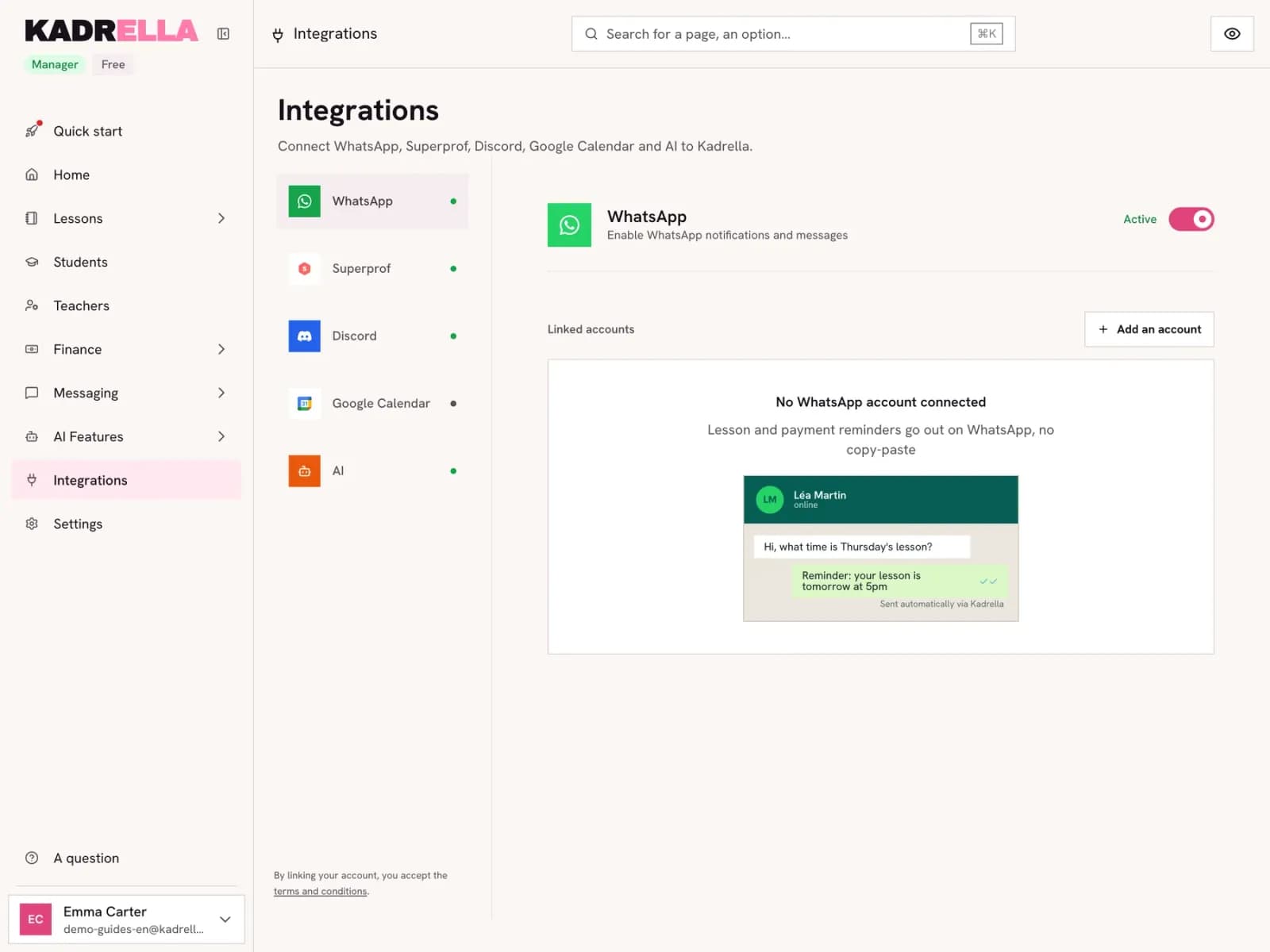
Reminders go out on WhatsApp, by email and by SMS, all through Unlimited Messaging. The school picks when: 48 hours, 24 hours, 3 hours, 2 hours or 1 hour before the lesson, 24 hours by default. A scheduled job builds the list, and each phone number gets one message only, so a parent who is also the student's contact is not reminded twice.
If a school's WhatsApp gets disconnected, reminders do not fail in silence: Unlimited Messaging sends an account status event, and Kadrella warns the school's managers by email and with an alert in the app.
Payments and invoices
Chasing unpaid lessons without the awkward message
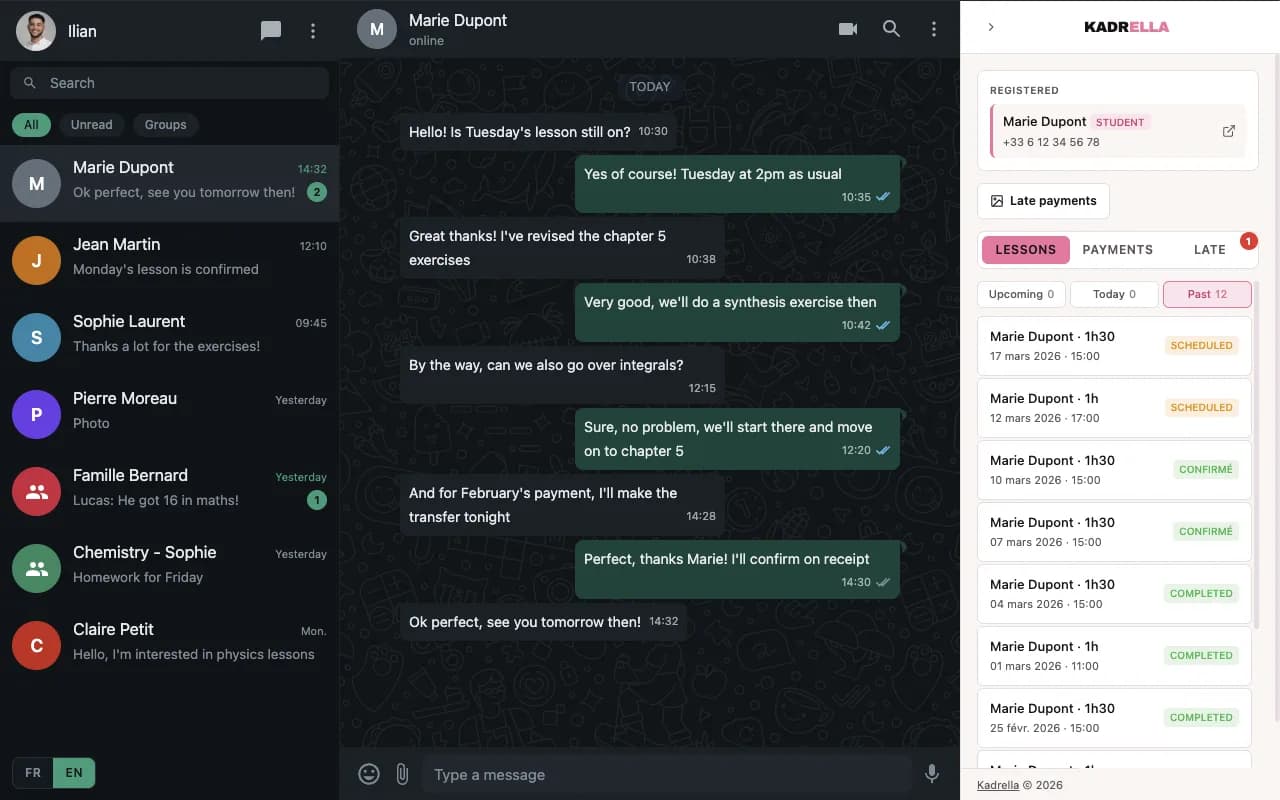
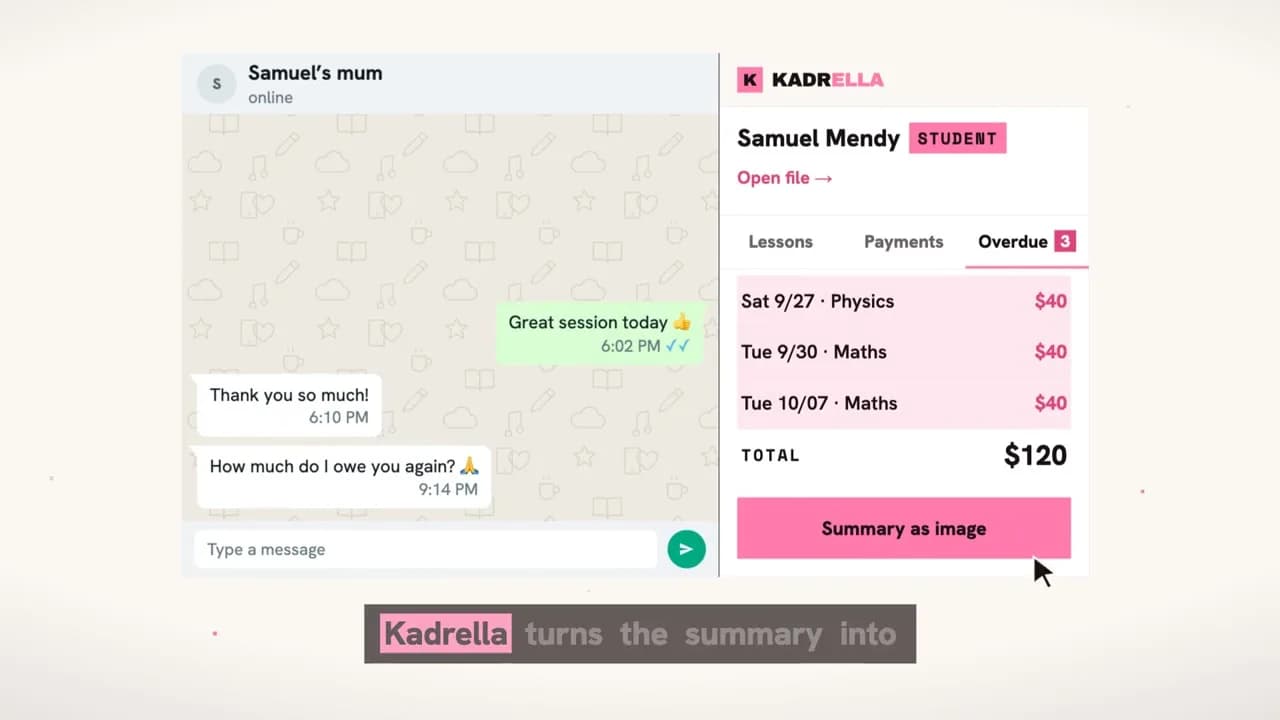
Asking a parent for money is the message tutors hate writing. Kadrella sends it for them, as a clean table rather than a wall of text.
Late-payment reminders are an image: Kadrella renders the table of unpaid lessons, with dates, durations, rates and the amount due, and sends it on WhatsApp with a short caption. Images go out uncompressed, because the table has fine print that must stay readable on a phone. Automatic reminders only leave between 10:00 and 20:00, and never more than 5 a day.
Invoices go out as PDF documents, on WhatsApp or by email, with the invoice number and date in the caption. Teachers get the same treatment for their pay: a summary image of the lessons they gave and the amount coming to them.
Support inbox and AI secretary
Every incoming message lands in Kadrella
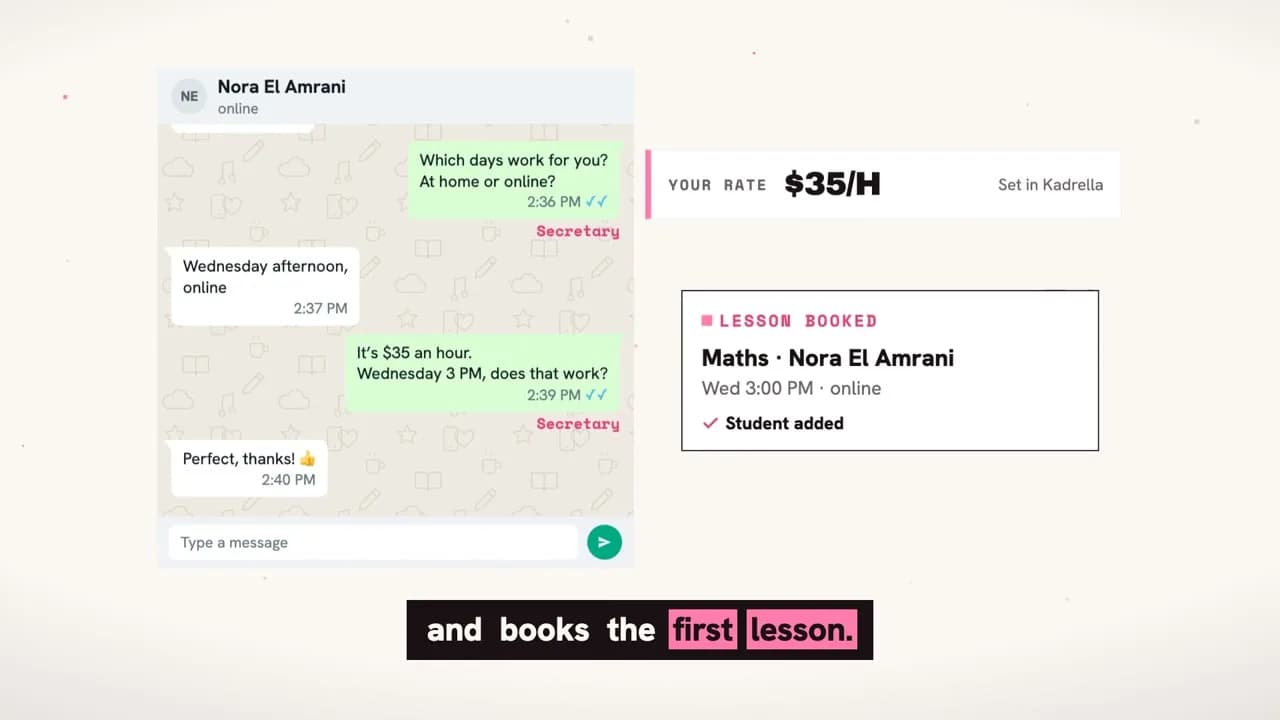
Sending is half the job. Students, parents and teachers answer, ask questions and send voice notes, and Kadrella reads all of it through Unlimited Messaging webhooks.
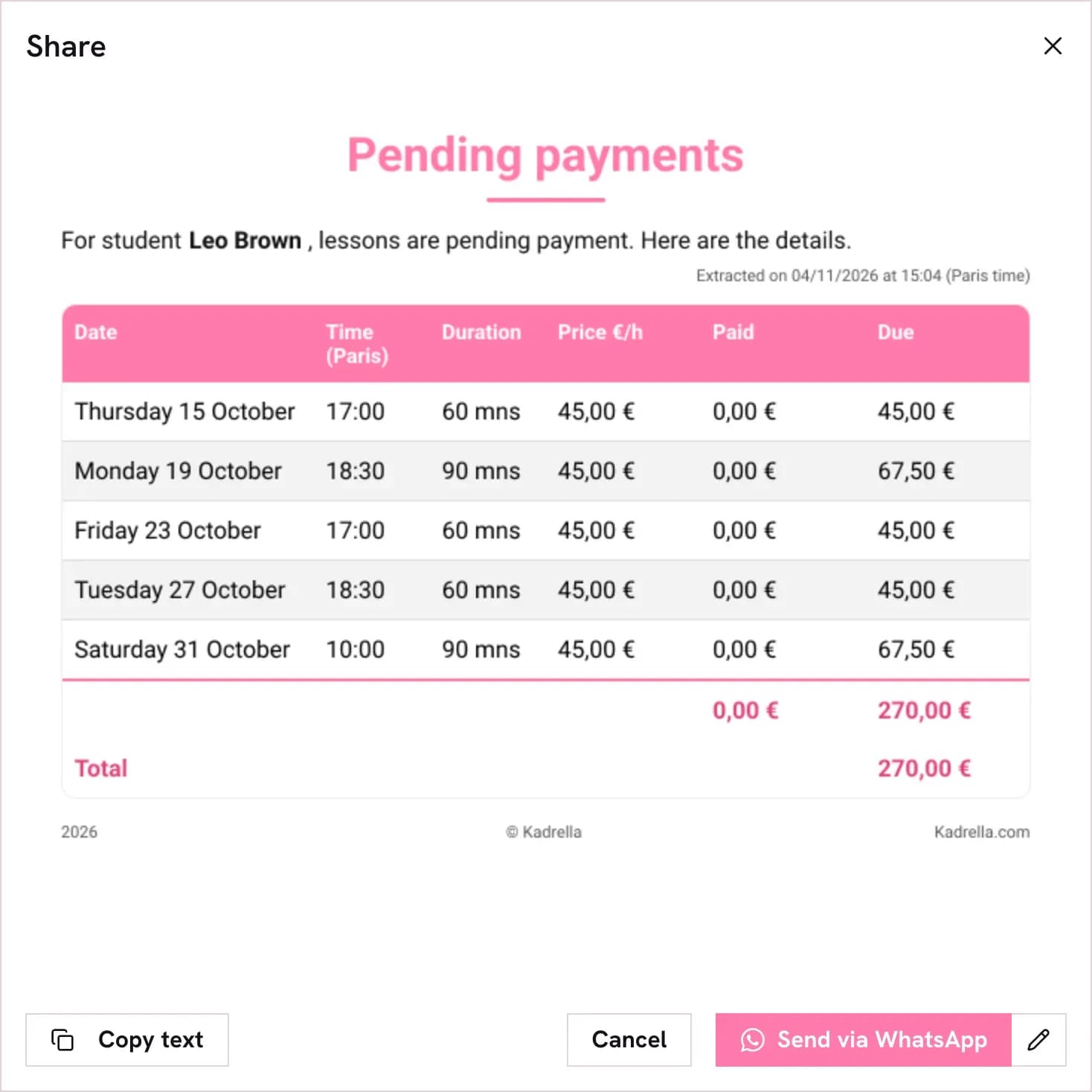
Each incoming WhatsApp message reaches Kadrella as a signed webhook. Kadrella files it in its Messaging inbox, next to Discord, and links it to the right student and lesson. The school answers from Kadrella or from its phone: messages sent from the phone come back as events too, so the history stays complete.
On top of that inbox, Kadrella's AI secretary answers in the manager's name: it onboards new students, finds a slot, relays between a teacher and a student, follows up and asks for reviews. Its replies go out automatically or after the manager approves them, and when it needs a decision, it asks the manager on their own WhatsApp, where a simple yes, no or option number is enough.
Not just text
Images
Payment summaries and teacher pay go out as images, uncompressed so every figure stays sharp.
Files
Invoices are sent as PDF documents, uploaded once and attached to the message.
Voice notes
Parents talk more than they type. Incoming voice notes are downloaded and transcribed, so the inbox and the AI can read them.
Reactions
Reactions arrive with the message they answer, so a 👍 on a reminder is not lost: it shows up in the conversation.
Edits and statuses
Edited messages are updated, and every outgoing message is tracked from sent to delivered and read.
Groups
Family and class groups work too, so a reminder can go to a group as well as to one person.
Admin notifications
The team hears about problems first
Kadrella also uses Unlimited Messaging for itself.
Platform alerts go to the Kadrella team on WhatsApp, where they get read within minutes rather than buried in an inbox. School managers get their own notifications: a disconnected number, a question from the AI secretary, a reminder that could not leave.
The same API also powers Kadrella's sales side: its internal CRM sends WhatsApp messages to prospects and logs their replies on each contact.
The full picture
Every message Kadrella sends, mapped
What goes out, to whom, on which channel, and what triggers it.
| Channels | Who receives it | Trigger | |
|---|---|---|---|
| Lesson reminder | WhatsApp, email, SMS | Student and/or parents | 48h to 1h before the lesson |
| Late-payment reminder | WhatsApp (image) | Student or parent | Automatic interval or one click, 10:00 to 20:00 |
| Invoice | WhatsApp (PDF) or email | Student or parent | Invoice issued |
| New lesson | Teacher | Lesson created | |
| Teacher pay summary | WhatsApp (image) | Teacher | Payment prepared |
| Support conversation | WhatsApp, both ways | Students, parents, teachers | Incoming message webhook |
| AI secretary question | School manager | The AI needs a decision | |
| Admin alert | WhatsApp, email | Kadrella team, managers | Number disconnected, incident |
Under the hood
How Kadrella wired it
No SDK lock-in: a small HTTP client over the REST API, and webhooks for everything that comes back.
- 01
One key, one account per school
Kadrella holds a single platform API key. Each school's WhatsApp account is tagged with the school's id (externalRef), so every event maps straight back to the right organization.
- 02
QR linking inside Kadrella
A manager clicks Add an account, scans a QR code shown in Kadrella, and the number is live. Past conversations are synced so the inbox is not empty on day one.
- 03
Send with POST /message
Every reminder, invoice and reply is one call, marked transactional. Media is uploaded with POST /media and attached by id.
- 04
Receive with signed webhooks
Incoming, self-sent, history, status, reaction, edit and account status events arrive on one endpoint, checked with HMAC-SHA256 signatures.
- 05
A safety net
Kadrella retries on rate limits using the retry-after header, and reconciles messages every 6 hours in case a webhook was ever missed.
Sources
Sources & references
To check the information in this article for yourself:
FAQ
Questions about Kadrella and Unlimited Messaging

Written by
Ilian · Senior Software Engineer
A senior software engineer, he founds and runs several tech companies. He builds products around messaging APIs, automation and AI integration, and shares here what he learns while building.
Build your own Kadrella-grade messaging
WhatsApp, email and SMS from your own number, mailbox and phone, through one API. Free plan, no credit card.